
티스토리 뷰
728x90
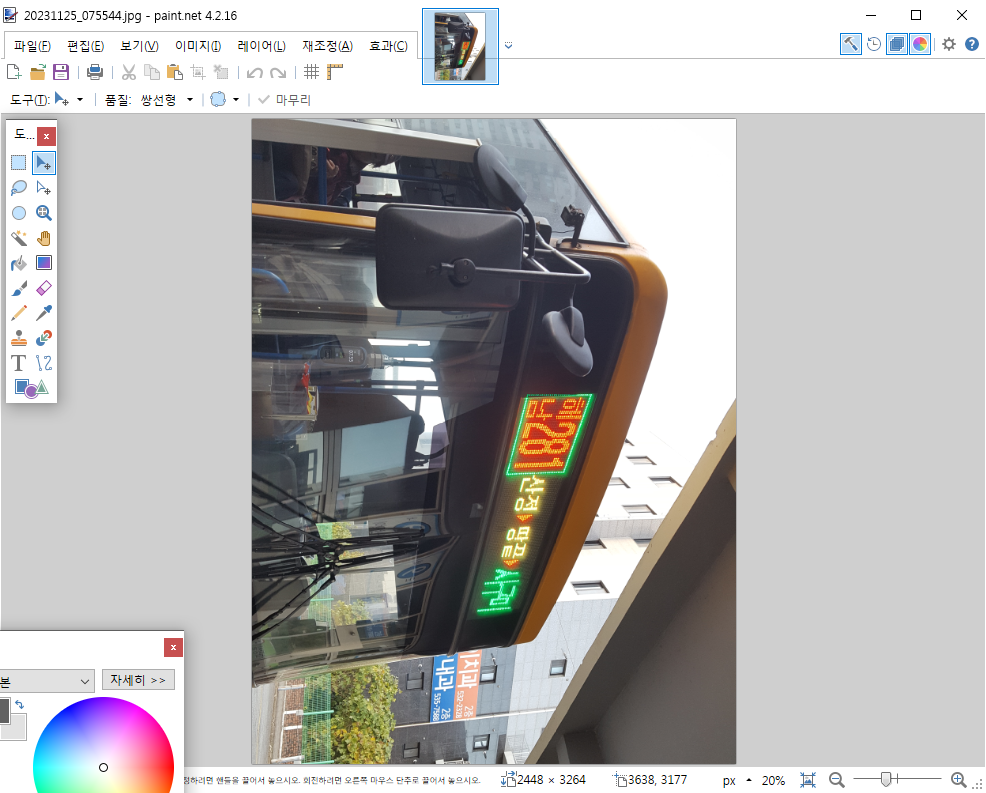
핸드폰에서 세로로 찍은 사진을 사진 뷰어나 그래픽 편집 도구로 확인하면 위의 그림처럼 문제없이 보인다.
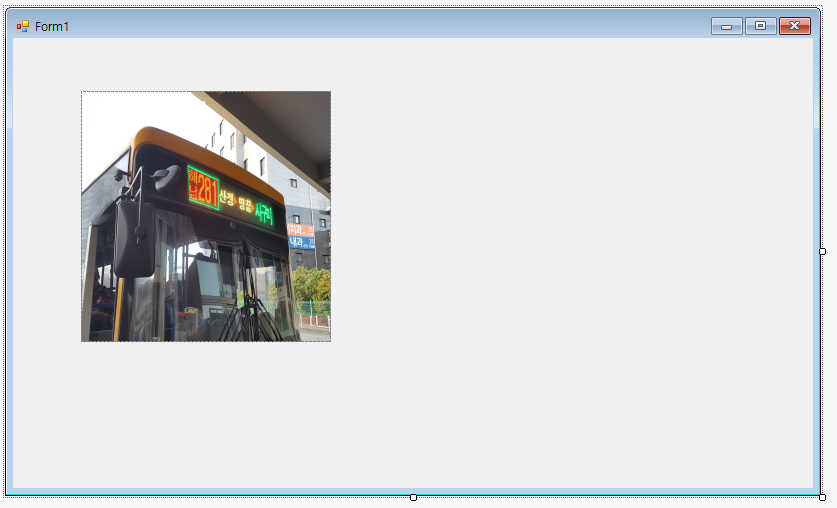
그런데, 해당 그림을 C# PictureBox 컨트롤에 적용하면 위의 그림처럼 그림이 자동으로 회전된다. 이 문제는 PictureBox 컨트롤이 JPG나 PNG 파일에 있는 Exif(Exchangeable image file format) 형식을 제대로 지원하지 않아서 생기는 것이다. 핸드폰이나 기타 도구에서 이미지를 저장할 때 가로 형태로 이미지를 저장하고 Orientation 정보(0x112)에 이미지는 90도 회전했다는 식으로 설정했는데 PictureBox 컨트롤이 그 정보를 처리하지 않는다는 것이다.
public class MyPictureBox : PictureBox
{
	private void CorrectExifOrientation(Image image)
	{
		if (image == null) return;
		int orientationId = 0x0112;
		if (image.PropertyIdList.Contains(orientationId))
		{
			var orientation = (int)image.GetPropertyItem(orientationId).Value[0];
			var rotateFlip = RotateFlipType.RotateNoneFlipNone;
			switch (orientation)
			{
				case 1: rotateFlip = RotateFlipType.RotateNoneFlipNone; break;
				case 2: rotateFlip = RotateFlipType.RotateNoneFlipX; break;
				case 3: rotateFlip = RotateFlipType.Rotate180FlipNone; break;
				case 4: rotateFlip = RotateFlipType.Rotate180FlipX; break;
				case 5: rotateFlip = RotateFlipType.Rotate90FlipX; break;
				case 6: rotateFlip = RotateFlipType.Rotate90FlipNone; break;
				case 7: rotateFlip = RotateFlipType.Rotate270FlipX; break;
				case 8: rotateFlip = RotateFlipType.Rotate270FlipNone; break;
				default: rotateFlip = RotateFlipType.RotateNoneFlipNone; break;
			}
			if (rotateFlip != RotateFlipType.RotateNoneFlipNone)
			{
				image.RotateFlip(rotateFlip);
				image.RemovePropertyItem(orientationId);
			}
		}
	}
	[Localizable(true)]
	[Bindable(true)]
	public new Image Image
	{
		get { return base.Image; }
		set { base.Image = value; CorrectExifOrientation(value); }
	}
}
문제 해결 방법은 PictureBox 클래스를 상속하는 사용자 클래스를 만들어 기존의 PictureBox를 대체하는 것이다. *.Designer.cs 파일에서 System.Windows.Forms.PictureBox를 MyPictureBox로 변경하면 된다.
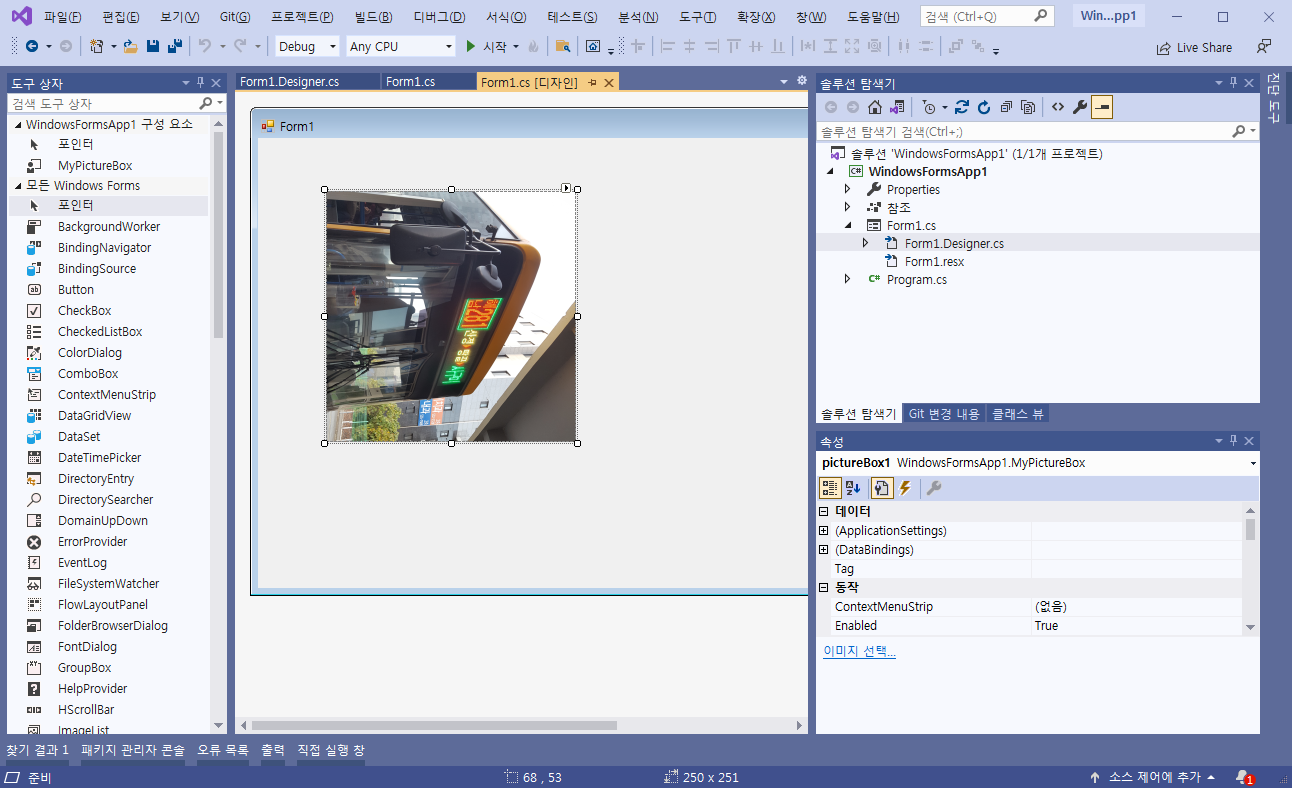
위의 그림은 MyPictureBox를 적용 이후의 결과이다.
728x90
'프로그래밍' 카테고리의 다른 글
| C# 라운드 박스 컨트롤 만들기 (0) | 2025.08.06 |
|---|---|
| PHP에서 동적으로 압축 파일을 생성해서 다운로드시키기 (0) | 2025.08.01 |
| C# 난독화시 악성코드로 오탐지되는 문제 해결 방법 (0) | 2025.07.08 |
| 파이썬 배열(Array) - 파이썬 배우기(Python) (0) | 2024.05.10 |
| C# 프로그램에 DLL 내장하기 (0) | 2024.04.29 |
댓글